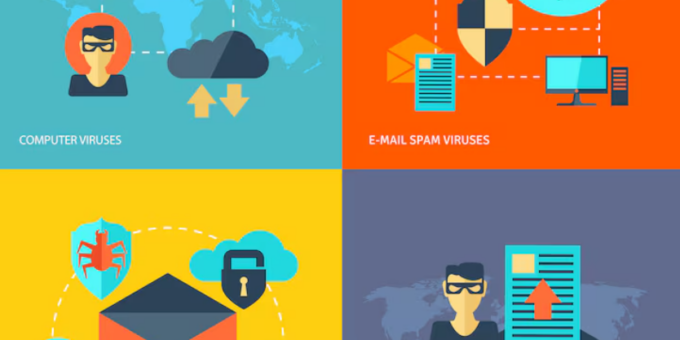
Business email remains one of the most important communication channels for modern companies. It is also one of the most attractive targets for cybercriminals. Phishing, business email compromise, malicious attachments, credential theft, and spoofing can all start with a single message.
That is why choosing the Best Email Security Services for Business in 2026 is an important part of a modern cybersecurity strategy. The right service can filter dangerous messages before employees see them, detect suspicious links, identify impersonation attempts, and provide administrators with better visibility.
This guide compares leading business email security solutions and explains the features that matter most. It also covers phishing protection, malware scanning, domain authentication, remote teams, and practical ways to strengthen business email security.
Why Business Email Security Matters in 2026
Email attacks continue to evolve. Attackers no longer rely only on obvious spam. Modern phishing messages can look professional, use convincing branding, and imitate suppliers, executives, or familiar services.
Artificial intelligence can also make fraudulent messages more convincing. Employees may receive emails that closely resemble legitimate business communication. As a result, companies need security controls that work before an employee clicks a link or opens an attachment.
Strong email protection should work alongside employee training, multi-factor authentication, endpoint security, and secure password management. It should not be treated as a standalone solution.
Best Email Security Services for Business in 2026
1. Microsoft Defender for Office 365
Microsoft Defender for Office 365 is a strong choice for businesses already using Microsoft 365.
Defender for Office 365 provides protection against phishing, malicious links, harmful attachments, and other email-based threats. Microsoft also provides investigation and response capabilities that can help security teams understand and respond to suspicious messages.
Its integration with Microsoft 365 is a major advantage. Organizations can manage email security alongside other Microsoft security controls. This can simplify administration for companies that already use Outlook, Exchange Online, Teams, and other Microsoft services.
Defender also supports Safe Links and Safe Attachments features. These technologies are designed to help protect users from dangerous URLs and files delivered through email.
Best for: Businesses using Microsoft 365 that want integrated email protection and centralized security management.
2. Google Workspace Security
Google Workspace Security is another strong option for organizations that use Gmail and Google Workspace.
Google uses multiple layers of detection to identify spam, phishing, malware, and suspicious messages. Gmail also provides administrators with security controls that can help organizations manage authentication, suspicious messages, and account protection.
For companies already using Google Workspace, built-in protection can be easier to manage than adding an unrelated email platform. Administrators can also combine email security with Google’s identity and account security features.
Google’s security approach includes technologies designed to detect malicious content and suspicious behavior. Businesses should still configure authentication policies and require strong account protection.
Best for: Companies that use Gmail and Google Workspace and want integrated cloud email security.
3. Mimecast Email Security
Mimecast Email Security is designed for organizations that need dedicated email security and advanced threat protection.
Mimecast focuses on threats such as phishing, malware, impersonation, malicious links, and business email compromise. It can also provide security controls that help organizations protect employees from sophisticated social engineering attacks.
One advantage of a dedicated email security platform is the additional layer between employees and their mail environment. This can be useful for larger businesses with complex security requirements.
Mimecast also offers continuity and data protection capabilities. These can be valuable for organizations that consider email a mission-critical business system.
Best for: Medium-sized and larger organizations that want dedicated email security with advanced threat protection.
4. Proofpoint Email Protection
Proofpoint Email Protection is another major business email security platform.
Proofpoint focuses on threats including phishing, business email compromise, malware, and other targeted attacks. Its platform is designed to help organizations detect threats while improving visibility into email-related risks.
Proofpoint can be particularly relevant to larger businesses and organizations that manage sensitive information. Its security ecosystem also extends beyond basic email filtering.
Best for: Enterprises and organizations with advanced email security, threat detection, and compliance requirements.
What Makes the Best Business Email Security Service?
The best solution should provide several layers of protection. Email threats can take different forms, so relying on a simple spam filter is not enough.
Phishing Protection
Phishing is one of the most common email threats. A strong email security service should analyze messages for suspicious domains, URLs, sender behavior, content patterns, and other indicators.
Advanced systems can also detect impersonation attempts. This is important because attackers may pretend to be company executives, suppliers, customers, or financial institutions.
Malware and Attachment Scanning
Malicious attachments can contain harmful software or exploit vulnerable applications. Email security services should scan attachments before they reach employees.
Some platforms use sandboxing or behavioral analysis to examine suspicious files. These additional techniques can help detect threats that traditional signature-based scanning may miss.
Malicious Link Protection
A dangerous link may lead to a fake login page or malicious website. Email security platforms can inspect URLs and block or warn users when a destination is considered unsafe.
For businesses, this protection is especially useful because employees often receive links to cloud applications, invoices, documents, and account notifications.
Business Email Compromise Protection
Business email compromise is especially dangerous because an attacker may not need to install malware. Instead, the attacker attempts to trick an employee into transferring money, sharing confidential information, or changing account details.
Look for a service that can detect suspicious sender behavior and impersonation. Policies should also require employees to verify unusual payment or account-change requests through a separate communication channel.
Email Authentication: SPF, DKIM, and DMARC
Email security is not only about filtering incoming messages. Businesses should also protect their own domains from spoofing.
SPF helps identify which servers are authorized to send email for a domain. DKIM adds a cryptographic signature that helps receiving systems verify message authenticity. DMARC builds on these technologies and provides a policy framework for handling messages that fail authentication.
Businesses should publish and maintain these records carefully. Google’s email authentication documentation provides practical guidance for organizations using Google Workspace.
Microsoft also provides guidance for email authentication in Microsoft 365.
Email Security for Remote Teams
Remote employees increase the importance of strong email security. Staff may use personal networks, different devices, and multiple locations.
Cloud-based email security can help protect users regardless of where they work. However, organizations should also secure employee accounts with multi-factor authentication.
For a growing online business, this is especially important. Employees may have access to advertising accounts, customer data, payment platforms, analytics tools, and other valuable services.
Companies involved in affiliate marketing should also protect email accounts connected to affiliate networks, advertising platforms, publishers, and payment services. A compromised mailbox can give an attacker valuable information about business operations.
How to Choose the Right Email Security Service
Start With Your Email Platform
If your organization uses Microsoft 365, Microsoft Defender for Office 365 is a natural option to evaluate. If your company uses Google Workspace, Google’s built-in security controls may cover many requirements.
Larger organizations may want a dedicated platform such as Mimecast or Proofpoint for additional security and administrative capabilities.
Evaluate Threat Detection
Compare how each provider handles phishing, impersonation, malicious attachments, suspicious URLs, and business email compromise.
Ask whether the platform uses behavioral analysis, machine learning, sandboxing, reputation services, and other detection methods.
Check Administration and Reporting
Security teams need visibility. Look for dashboards, alerts, investigation tools, message tracing, reporting, and policy controls.
Good reporting can also help identify recurring problems. For example, administrators may discover that employees frequently receive credential phishing attempts or that a particular department receives a high volume of malicious messages.
Consider Integration
Email security should fit into your existing cybersecurity environment. Check support for identity providers, endpoint protection, SIEM platforms, ticketing systems, and security operations tools.
Integration can reduce duplicate work and help security teams respond faster.
Best Practices for Business Email Security
A security platform works best when combined with good internal policies.
Require multi-factor authentication for email accounts. Use strong, unique passwords. Keep operating systems and applications updated. Train employees to recognize suspicious requests.
Most importantly, create a verification process for financial transactions. An employee should not rely solely on an email when asked to change payment information or transfer money.
Businesses should also regularly review administrator accounts and remove access when employees leave. This is especially important for remote teams and companies that use contractors.
Email Security and Online Business Revenue
Email is often connected to revenue-generating systems. A small dropshipping business may use email for supplier communication, payment notifications, customer support, and advertising platforms.
A website owner earning passive income may depend on email for affiliate networks, hosting accounts, advertising platforms, and payment services. Losing access to the mailbox could disrupt multiple parts of the business.
That is why email security should be considered a business investment. Protecting one mailbox can also protect access to many connected services.
Final Verdict: Best Email Security Services for Business in 2026
The Best Email Security Services for Business in 2026 should protect against phishing, malware, malicious links, spoofing, impersonation, and business email compromise.
Microsoft Defender for Office 365 is a strong choice for businesses already invested in Microsoft 365. Google Workspace provides integrated protection for organizations using Gmail. Mimecast and Proofpoint are strong candidates for businesses that need dedicated email security and advanced threat protection.
However, technology alone is not enough. Businesses should combine email filtering with SPF, DKIM, and DMARC. They should also enforce multi-factor authentication, maintain secure passwords, train employees, and establish clear procedures for suspicious financial requests.
The best approach is layered. Protect the mailbox, the account, the device, and the domain. When these controls work together, businesses can reduce email-based risk while allowing employees to communicate efficiently from almost anywhere.
Frequently Asked Questions
What is the best email security for a small business?
For a small business, built-in security from Microsoft 365 or Google Workspace can be a practical starting point. Businesses with more advanced requirements can evaluate dedicated services such as Mimecast or Proofpoint.
Can email security stop phishing?
No security service can guarantee that every phishing message will be blocked. However, advanced email security can detect and filter many suspicious messages before they reach employees. Training and multi-factor authentication provide additional protection.
Should a business use DMARC?
Yes. Businesses that send email from their own domains should evaluate SPF, DKIM, and DMARC. These technologies can help reduce domain spoofing and improve email authentication.
Is Microsoft Defender enough for business email security?
It can provide strong protection for Microsoft 365 environments. However, the appropriate configuration depends on the organization’s risk profile, compliance requirements, identity controls, and security architecture.
“`
