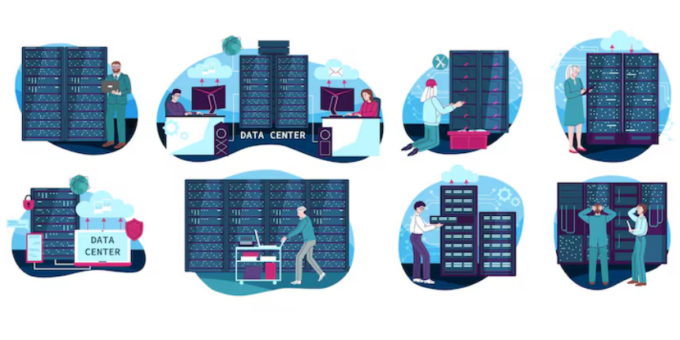
Choosing the right web hosting can affect website performance, reliability, maintenance, and security. For a small business or growing online business, the choice often comes down to cost and convenience. Shared hosting is usually affordable and simple. Managed hosting typically offers more hands-on support and security management.
So, in the debate over Managed Hosting vs Shared Hosting: Which Is More Secure?, the answer is not simply that one hosting type is always safe and the other is unsafe. Security depends on the provider, server architecture, software, configuration, and how the website itself is managed.
However, managed hosting can provide an important advantage because the hosting company takes responsibility for more technical tasks. This can include updates, monitoring, backups, malware protection, firewalls, and other security measures. Shared hosting can also be secure when the provider uses strong account isolation and modern security controls.
What Is Shared Hosting?
Shared hosting places multiple websites on the same physical server or hosting environment. Customers share underlying server resources, although reputable providers use isolation technologies to prevent one account from directly accessing another.
The biggest advantage is affordability. A small website does not need to pay for an entire server when its resource requirements are modest. Shared hosting can therefore work well for blogs, portfolio sites, small company websites, and new websites.
Security depends heavily on how the provider isolates accounts. A properly configured shared environment can reduce the risk of one compromised website affecting another. SiteGround, for example, describes account isolation as an important security measure for shared hosting environments.
What Is Managed Hosting?
Managed hosting means the hosting provider handles more of the technical administration for you. The exact services vary between companies and plans.
Managed hosting may include operating system maintenance, security patches, monitoring, automated backups, malware scanning, firewalls, performance optimization, and technical support.
This can be especially valuable for businesses without a dedicated IT team. Instead of spending time monitoring infrastructure and applying server-level updates, the business can rely on the provider for many routine tasks.
For example, managed hosting providers may offer features such as vulnerability monitoring, DDoS protection, firewalls, backups, and security assistance. The exact protection varies by provider, so businesses should examine the security features included in each plan rather than relying only on the word “managed.”
Managed Hosting vs Shared Hosting: Security Comparison
Server Isolation
Shared hosting creates a multi-tenant environment. That means several websites use the same underlying infrastructure. Good providers use account isolation to reduce cross-account risks.
Managed hosting may use shared infrastructure too. “Managed” describes the level of administration and service, not necessarily whether the server is physically dedicated to one customer.
For this reason, do not assume that managed hosting automatically means dedicated resources. Always check the provider’s architecture and isolation model.
Security Updates
Keeping software updated is one of the most important hosting security tasks. Outdated operating systems, server software, CMS components, and plugins can introduce avoidable risks.
With unmanaged or lightly managed hosting, more responsibility may fall on the website owner. Managed hosting usually reduces this workload by having the provider handle more infrastructure maintenance.
This difference can be significant for a small business. A business owner may have time to publish content and manage customers but not the expertise to monitor server vulnerabilities.
Malware Protection
Malware scanning and removal can provide another layer of protection. Some managed hosting providers include malware detection or assistance with compromised websites.
However, this feature is not universal. Check whether malware scanning is included, how frequently scans run, and whether cleanup is included or charged separately.
Firewalls and DDoS Protection
A web application firewall (WAF) can help filter potentially harmful web traffic. DDoS protection can also help reduce the impact of certain traffic floods.
Some managed platforms include these protections as part of the hosting service. For example, Kinsta documents a managed WAF and Cloudflare-based DDoS protection for its managed WordPress infrastructure.
Shared hosting providers may also provide firewalls and DDoS protection. Therefore, the correct comparison is not “managed versus shared” alone. Compare the actual security stack offered by each provider.
Backups and Recovery
Backups are essential for website security and business continuity. A reliable backup can help recover from accidental deletion, software failures, or certain security incidents.
Managed hosting plans often make backups easier to configure and restore. Some providers include automatic daily backups and defined retention periods. Kinsta, for example, documents daily backups for its managed WordPress hosting service.
With any hosting plan, check where backups are stored, how long they are retained, and whether you can restore individual files or the entire website.
Which Option Requires More Technical Knowledge?
Shared hosting is usually designed to be accessible to beginners. The provider manages the underlying server, while the customer manages the website, applications, accounts, and content.
Managed hosting goes further by taking responsibility for additional technical tasks. This can save time and reduce the chance of configuration mistakes.
That makes managed hosting particularly attractive to businesses that do not have an experienced administrator available to maintain the hosting environment.
Is Shared Hosting Secure Enough for a Small Business?
Yes, shared hosting can be secure enough for many small websites. The key is choosing a reputable provider with strong isolation and security controls.
Look for features such as automatic security updates, SSL certificates, malware scanning, account isolation, backups, firewall protection, and two-factor authentication for the hosting account.
SiteGround, for example, describes isolated hosting accounts and security measures designed to reduce cross-site risk in its shared environment.
However, website owners still have responsibilities. Keeping the CMS and plugins updated, using strong passwords, limiting administrator accounts, and protecting the hosting login remain important.
When Managed Hosting Is the Better Choice
Managed hosting can make more sense when security and convenience are higher priorities than the lowest possible monthly price.
It can be a strong choice for an ecommerce website, business website, membership site, agency site, or content platform that generates meaningful revenue.
It may also be useful when downtime could have a serious business impact. Having experienced technical support available can reduce the time required to investigate hosting problems.
Businesses that lack internal technical staff may benefit the most. Managed hosting essentially allows the provider to handle a larger part of the infrastructure maintenance workload.
When Shared Hosting Makes More Sense
Shared hosting may be appropriate for a new website with limited traffic and a modest budget.
It can also work well for websites that do not require specialized server configurations. A small company website, personal blog, simple informational site, or early-stage project may not need the additional services of premium managed hosting.
The important point is to avoid choosing shared hosting based on price alone. Review the provider’s security architecture, backup policy, update process, account isolation, and support quality.
How to Make Either Hosting Type More Secure
Use Strong Authentication
Protect your hosting account and website administrator accounts with unique passwords. Enable multi-factor authentication whenever it is available.
Keep Website Software Updated
Update your CMS, themes, plugins, extensions, and other components. Remove software that you no longer use.
SiteGround’s security guidance also recommends keeping web applications and their components updated and obtaining plugins from official sources.
Limit User Permissions
Do not give every user administrator privileges. Use the minimum permissions required for each person’s role.
Maintain Independent Backups
Even if your hosting provider includes backups, consider maintaining an additional backup strategy. This can give you another recovery option if your account or hosting environment becomes unavailable.
You can learn more about broader website protection in our business website cybersecurity guide.
Monitor Your Website
Watch for unexpected administrator accounts, unusual login activity, sudden changes to website files, and unexplained traffic changes. Early detection can make security incidents easier to contain.
What to Check Before Buying Managed Hosting
Do not select a managed hosting plan based only on marketing claims. Ask specific questions about security.
Find out whether the provider offers automatic security patches, malware scanning, WAF protection, DDoS mitigation, backups, two-factor authentication, vulnerability alerts, and security monitoring.
Also ask what happens if the website is compromised. Does the provider investigate the issue? Is malware removal included? Can the website be restored quickly? Are backups isolated from the production environment?
These questions are more useful than simply asking whether a hosting package is “secure.”
Managed Hosting vs Shared Hosting: Cost vs Security
Shared hosting generally has a lower entry price. That makes it appealing to businesses that are just starting.
Managed hosting often costs more because the provider is delivering additional infrastructure management and support. However, the higher price can be justified when it saves staff time or reduces operational risk.
Think about the total cost rather than the monthly hosting bill. A low-cost plan can become expensive if your team must spend hours maintaining the server or recovering from avoidable problems.
Final Verdict: Which Is More Secure?
So, Managed Hosting vs Shared Hosting: Which Is More Secure? In general, managed hosting can offer a stronger security experience because more maintenance, monitoring, patching, and protection can be handled by the hosting provider.
But managed hosting is not automatically secure, and shared hosting is not automatically insecure. The provider’s architecture and security practices matter more than the label.
A well-managed shared hosting platform with strong account isolation, automatic updates, firewalls, backups, and monitoring can be a reasonable choice for many small websites. A quality managed hosting platform can be the better option for businesses that need stronger hands-on support and want to reduce the technical workload.
For businesses making the decision today, focus on the actual controls. Compare account isolation, patch management, MFA, WAF protection, DDoS protection, backups, malware detection, monitoring, access controls, and support.
For additional security planning, the NIST Cybersecurity Framework provides a useful foundation for identifying and managing cybersecurity risks.
The best hosting choice is ultimately the one that matches your website’s risk, budget, technical needs, and business importance. If security is a priority and you do not have dedicated technical staff, managed hosting is often worth the additional investment.
